Computer RepairLaptop RepairVirus RemovalAbout UsContact Us
Service

đŸ–Ĩī¸ Computer Repair

Desktop computers are generally more repairable than people expect. Many issues that seem catastrophic have a clear, fixable cause — you just need someone willing to actually look for it.

Get in Touch → 📞 +1 360-632-4226

What we actually do

When a desktop computer isn't working right, the right first step is understanding why — not assuming. We run through a structured diagnostic process that checks hardware components, storage health, temperature, software state, and more. That diagnostic is what everything else is based on.

Once we know what's happening, we explain it. You'll hear what we found, what it would take to fix, and whether that fix is worth it given the age and condition of the machine. We don't pressure you into anything.

If a component needs replacing, we source compatible parts and walk you through what that involves. If the issue turns out to be software — a corrupted OS, a failing driver, a misconfigured system — we handle that without touching data unless it's necessary, and we back things up before we do.

â„šī¸

We charge a flat diagnostic fee that gets credited toward any repair you approve. If you decide not to proceed, you still get a clear answer about what's wrong — which is worth something on its own.

Specific things we cover:

  • Hardware component testing (RAM, GPU, CPU, PSU)
  • Hard drive / SSD diagnostics and replacement
  • Storage upgrades (HDD to SSD)
  • RAM upgrades and compatibility checking
  • Operating system repair and reinstallation
  • Power supply testing and replacement
  • Fan cleaning, thermal paste reapplication
  • Boot failure diagnosis and recovery
  • Driver issues and update conflicts
  • Software cleanup and optimization
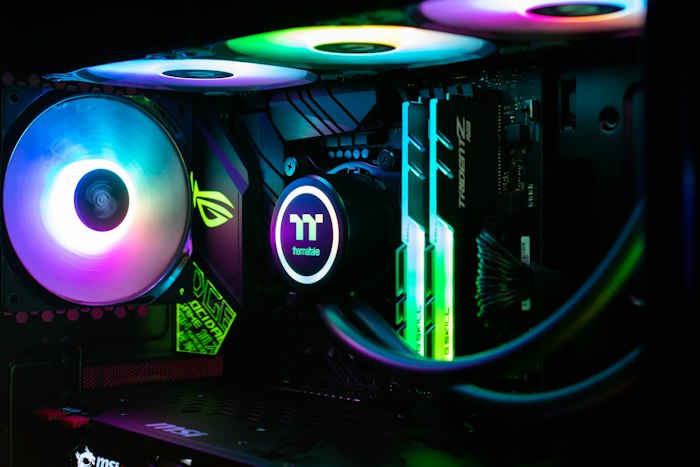
Technician diagnosing desktop computer
Common Symptoms

What brings most people in

đŸĸ

Slow performance

Gradual slowdowns over months or years usually trace back to storage degradation, software bloat, or thermal throttling. Sudden slowdowns are more likely to be a hardware event or a software problem worth investigating quickly.

đŸ’Ĩ

Crashes and freezes

Random crashes or blue screens can be caused by RAM, the GPU, a failing drive, overheating, or software conflicts. Identifying the pattern and context of crashes helps narrow it down considerably.

⚡

Won't start or boot

A desktop that doesn't power on, gets stuck on the boot screen, or immediately shuts off after starting can have several causes. Many of them are fixable — but we need to see the machine to know which one applies.

Being Transparent

When repair may not be the right path

Not every computer is worth repairing. We think you deserve to know that upfront, rather than finding out after you've already spent money.

If a machine is very old (typically over eight to ten years), repairs may not extend its useful life significantly — particularly if the underlying hardware is becoming a bottleneck regardless of what's fixed. We'll tell you this honestly if it applies.

If the repair cost approaches or exceeds the replacement value of the machine, we'll point that out. We'd rather you make an informed decision than feel like you spent money on something that didn't make sense.

Some component failures — particularly certain motherboard faults — aren't economically repairable in consumer machines. We'll be clear if we encounter this and explain what your realistic options are.

âš ī¸

Data note: If your storage is failing, data recovery is a separate process from repair — and success depends on how far along the failure is. We'll assess the situation and tell you what's realistic. Back up your data regularly; don't wait for a symptom to appear.

💡

We don't have a financial interest in steering you toward replacement. We're a repair service — we'd like to fix your machine. But we'd rather give you an honest assessment than a repair that doesn't hold up.

Have a desktop you'd like assessed?

Get in touch and tell us what you're dealing with. We'll let you know if it makes sense to bring it in.